The Most Affordable MacBook Neo – Review 2026
MacBook Neo
For months, the tech world has been buzzing with leaks and rumors about a “budget” Apple laptop. The wait is finally over. The MacBook Neo has officially landed, and it’s positioned as the most affordable entry point into the macOS ecosystem.
But does “affordable” mean “compromised”? After testing it extensively, I have some surprising realizations—including why this occasionally feels like a high-end Windows laptop killer.
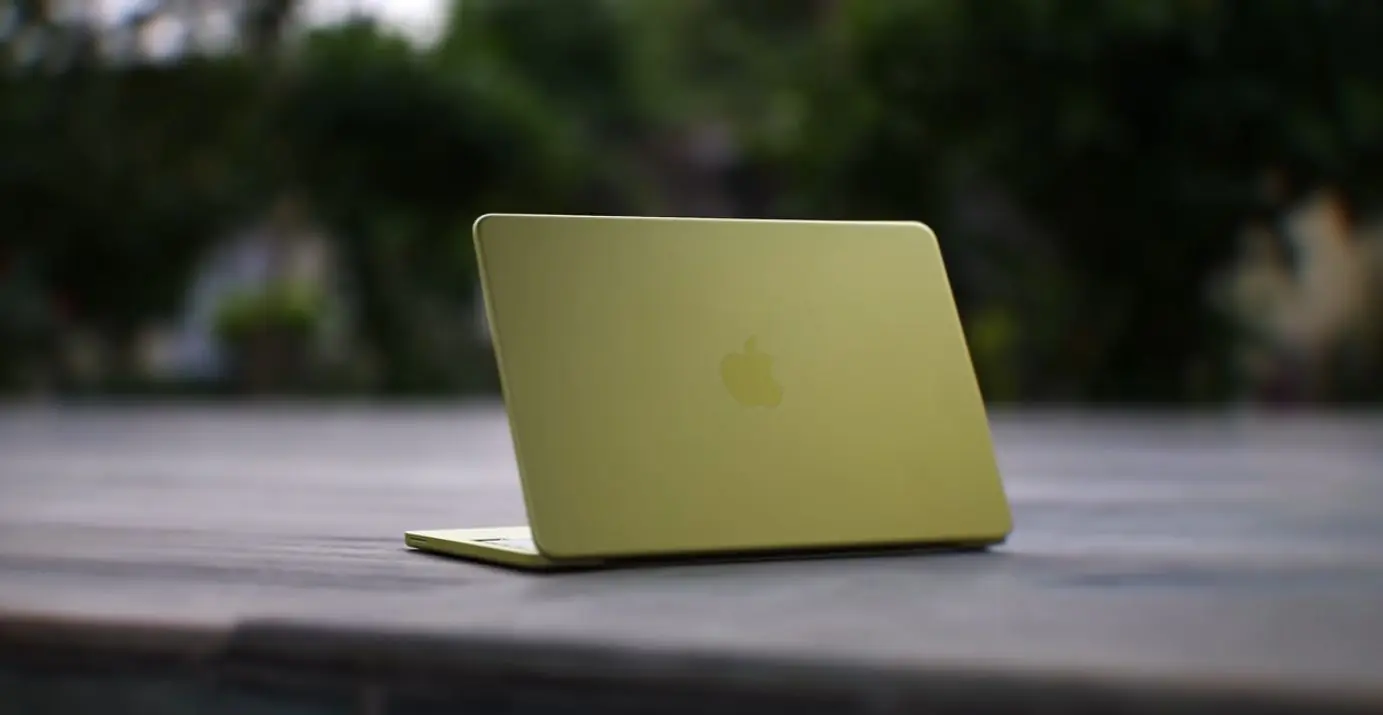
Apple has moved away from traditional naming for its colors. Our review unit comes in the trending “Citrus” variant. It’s vibrant, bold, and definitely stands out in a crowd.
What’s in the box?
The MacBook Neo (Metal Body)
20W USB-C Power Adapter
USB-C to USB-C Cable
The classic “Designed by Apple in California” documentation
The build quality is signature Apple—solid, premium, and entirely metal. At just 1.23 kg, it’s incredibly portable. While it’s slightly thicker than a MacBook Air (resembling the MacBook Pro chassis), it feels indestructible.
Display & Multimedia: An iPad-Like Experience?
The MacBook Neo features a 13-inch Liquid Retina Display with 500 nits of brightness and support for 1 billion colors.
The Visuals: Colors are punchy and vibrant, supporting HDR and 4K playback on YouTube.
The Design: The bezels are noticeably thicker, giving it an aesthetic similar to an iPad docked onto a keyboard.
The Webcam: Surprisingly, Apple included a 1080p HD camera. Whether it’s Zoom meetings or Google Meet, the clarity is professional-grade.
Performance: Powered by the A18 Pro Chip
Here is where things get interesting. The MacBook Neo uses the A18 Pro chip (similar to the iPhone 16 Pro architecture).
Benchmark Scores:
Geekbench 6: Single-core: 3432 | Multi-core: 8569
Cinebench 2026: Multi-core: 1485 | Single-core: 513
Real-World Usage:
For daily tasks like web researching, Excel sheets, PowerPoint presentations, and heavy Chrome usage, this laptop is a beast. It’s snappy and silent.
Video Editing: You can edit 4K video on Premiere Pro, but keep it light. Once you add multiple layers or heavy effects, you’ll notice slight lag.
Gaming: As expected, this is not a gaming laptop. Stick to casual titles; don’t expect to run AAA games at high settings.
The “Catch”: Where Apple Cut Costs
To hit the budget price point, Apple made a few strategic cuts that you need to know before buying:
No Backlit Keyboard: Typing in total darkness will be a challenge as the keys do not light up.
Touch ID Limitations: The fingerprint sensor is only available on the 512GB model. If you buy the base 256GB version, you’ll be typing in your password every time.
Slow Charging: The included 20W charger feels slow for a 2026 laptop.
Price and Student Value
Retail Price: ₹69,900 (Approx.)
Student Discount Price: ₹59,900
At ₹60k, this laptop is a direct threat to mid-range Windows laptops. While Windows machines might offer more RAM on paper, the longevity and optimization of macOS mean this laptop will likely run smoothly for 5+ years, whereas many Windows laptops start slowing down after two.